First steps with Parsec
Welcome to Parsec! Here’s a brief overview of the user interface.
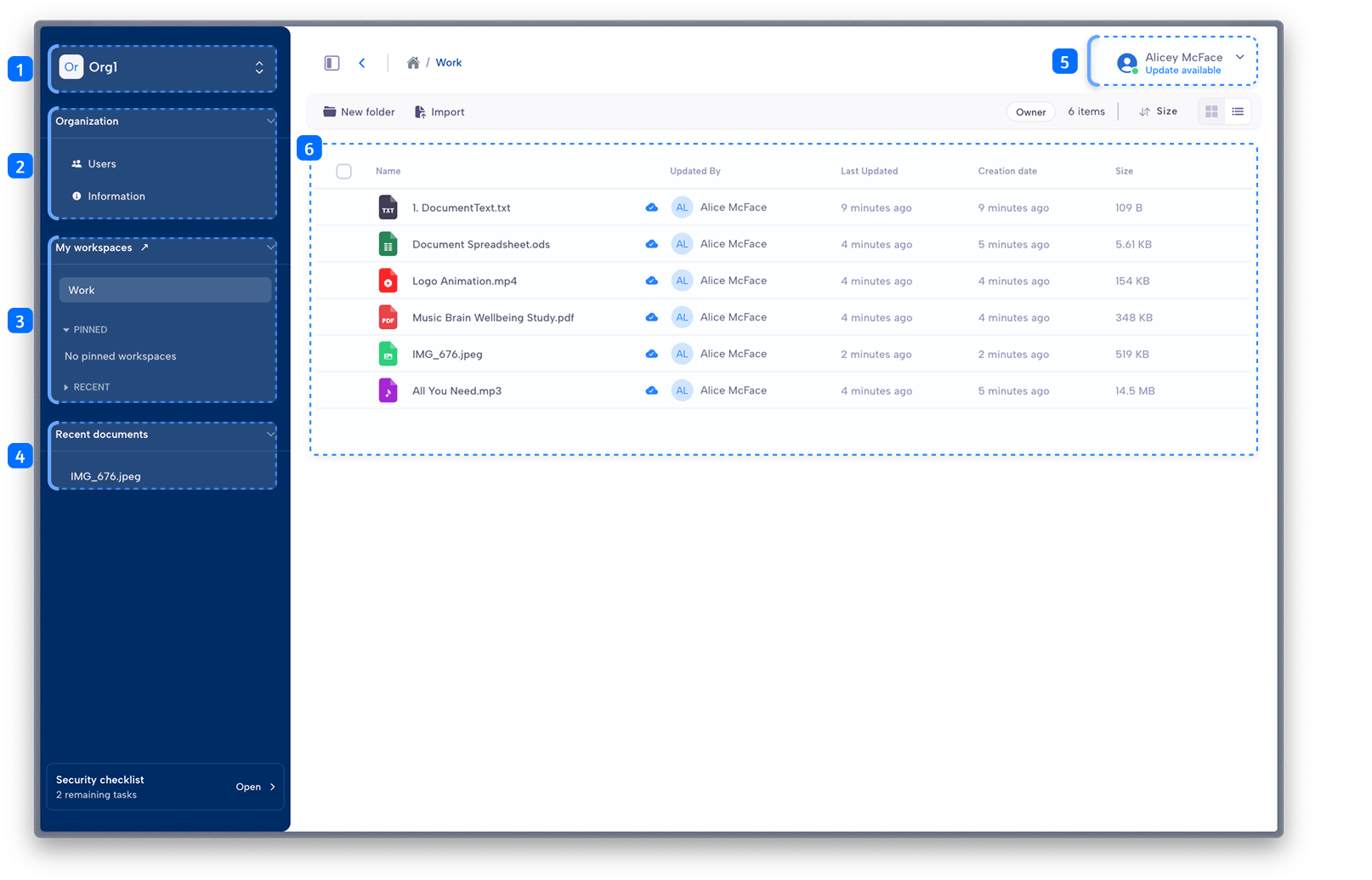
Organization section: select your organization.
Organization details: access your organization details (if allowed by your profile).
Workspace selection: list of workspaces you added to favorite and those you have accessed recently.
Recent documents: list of documents you have accessed recently.
Main menu: access application settings and your user profile.
Workspace and document section: access a workspace and its documents.