Cryptpad Deployment
Cryptpad deployment allows to edit documents directly in the application.
It’s incredibly useful on web since users won’t have access to the file system mountpoints provided by the desktop application.
Obtaining the patched server
Parsec maintain a soft-fork of cryptpad source as it requires some light modifications to better integrate in parsec.
We have a repository used to build the cryptpad server either as a linux container format or the resources needed for a nodejs server.
Deploying using the docker testing infra
To deploy cryptpad using the docker-compose stack, we will need to patch some configuration:
We will deploy alongside the parsec server our patched cryptpad server.
The new server will be accessible at
https://cryptpad.parsec.localhostNote
To use a different URI change every instance of
https://cryptpad.parsec.localhostwith the desired URI.
Create a new env file for parsec-server
For the server to announce that client should use the configured Cryptpad server, you need to set
PARSEC_CRYPTPAD_SERVER_URL(or set the option--cryptpad-server-url):editics/parsec-cryptpad.env
PARSEC_CRYPTPAD_SERVER_URL=https://cryptpad.parsec.localhost
That value must be the same as
CRYPTPAD_HTTP_UNSAFE_ORIGIN(see next step) when configuring the cryptpad serverRetrieve the patch file for the docker-compose file
For the cryptpad server, we need to set the following env variables:
CRYPTPAD_CUSTOM_PROTOCOL: We need to set that value toparsec-desktop:to allow desktop user to use the Cryptpad service.CRYPTPAD_HTTP_SAFE_ORIGIN: The URL that Cryptpad should considered safe/sandboxed, it should be different thanCRYPTPAD_HTTP_UNSAFE_ORIGIN(more information on Cryptpad domain documentation).CRYPTPAD_HTTP_UNSAFE_ORIGIN: The URL used to reach the Cryptpad server.
editics/parsec-server.docker.yaml.cryptpad.patch
diff --git a/docs/hosting/deployment/parsec-server.docker.yaml b/docs/hosting/deployment/parsec-server.docker.yaml
index 78e3017700..5dcaac43f2 100644
--- a/docs/hosting/deployment/parsec-server.docker.yaml
+++ b/docs/hosting/deployment/parsec-server.docker.yaml
@@ -65,6 +65,7 @@ services:
       - parsec-db.env
       - parsec-smtp.env
       - parsec-admin-token.env
+      - editics/parsec-cryptpad.env
     environment:
       AWS_CA_BUNDLE: /run/secrets/mini-ca-crt
     secrets:
@@ -74,6 +75,13 @@ services:
     ports:
       - 127.0.0.1:6777:6777

+  parsec-cryptpad:
+    image: ghcr.io/scille/cryptpad-server/cryptpad:v0.3
+    environment:
+      CRYPTPAD_CUSTOM_PROTOCOL: 'parsec-desktop:'
+      CRYPTPAD_HTTP_SAFE_ORIGIN: https://safe-cryptpad.parsec.localhost
+      CRYPTPAD_HTTP_UNSAFE_ORIGIN: https://cryptpad.parsec.localhost
+
 volumes:
   parsec-db-data: {}
   parsec-object-data: {}
Important
You need to use a reverse proxy if you want to configure TLS (see next step) as Cryptpad does not allow to configure it.
In addition of the Cryptpad service, we also update the parsec-server service configuration to load the newly created env file
editics/parsec-cryptpad.env.Retrieve the patch file for nginx configuration
editics/parsec-nginx.conf.cryptpad.patch
diff --git a/docs/hosting/deployment/parsec-nginx.conf b/docs/hosting/deployment/parsec-nginx.conf
index 81db66cbe9..96aa42f4fa 100644
--- a/docs/hosting/deployment/parsec-nginx.conf
+++ b/docs/hosting/deployment/parsec-nginx.conf
@@ -56,4 +56,40 @@ http {
             proxy_set_header Host app.parsec.localhost;
         }
     }
+
+    server {
+        listen 443 ssl;
+        http2 on;
+
+        server_name cryptpad.parsec.localhost safe-cryptpad.parsec.localhost;
+
+        server_tokens off;
+
+        ssl_protocols       TLSv1.3;
+        ssl_certificate     /run/secrets/proxy-pem-crt;
+        ssl_certificate_key /run/secrets/proxy-pem-key;
+
+        location / {
+            proxy_pass http://parsec-cryptpad:3000;
+            proxy_set_header      X-Real-IP $remote_addr;
+            proxy_set_header      Host $host;
+            proxy_set_header      X-Forwarded-For $proxy_add_x_forwarded_for;
+            client_max_body_size  150m;
+
+            proxy_http_version    1.1;
+            proxy_set_header      Upgrade $http_upgrade;
+            proxy_set_header      Connection upgrade;
+        }
+
+        location ^~ /cryptpad_websocket {
+            proxy_pass            http://parsec-cryptpad:3003;
+            proxy_set_header      X-Real-IP $remote_addr;
+            proxy_set_header      Host $host;
+            proxy_set_header      X-Forwarded-For $proxy_add_x_forwarded_for;
+
+            proxy_http_version    1.1;
+            proxy_set_header      Upgrade $http_upgrade;
+            proxy_set_header      Connection upgrade;
+        }
+    }
 }
Apply the patches
patch -t -i editics/parsec-nginx.conf.cryptpad.patch
patch -t -i editics/parsec-server.docker.yaml.cryptpad.patch
Note
The path of the different files above contain the editics/ prefix, because that’s where those files are stored on our public repository.
You are free to download them somewhere else, but note that you will need to update the path to parsec-cryptpad.env in the docker file (services.parsec-server.env_file[])
Next you need to start the updated docker-compose stack:
docker compose --file ./parsec-server.docker.yaml up --detach
If you have an already running stack, you need to:
Start cryptpad:
docker compose --file ./parsec-server.docker.yaml up --detach parsec-cryptpad
Stop & Start parsec server (
restartis not enough to reload the service configuration):docker compose --file ./parsec-server.docker.yaml stop parsec-server docker compose --file ./parsec-server.docker.yaml up --detach parsec-server
Other deployment methods
For other deployment methods refer to https://github.com/Scille/cryptpad-server/blob/master/README.md
Further more you need some specific configure of both Parsec and Cryptpad.
Verify the deployment
Before trying to use CryptPad in parsec, open the server URL (https://cryptpad.parsec.localhost) in the browser, you should get the following page:
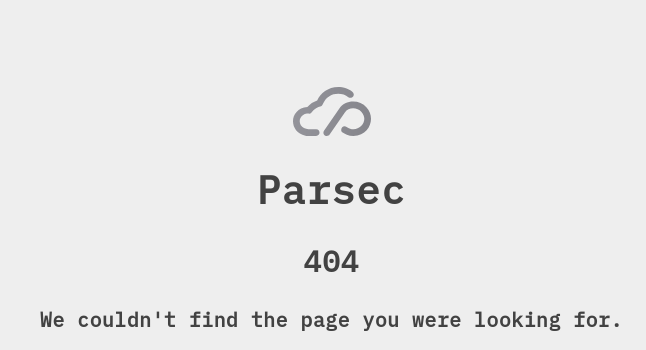
If you have the following, it means the Cryptpad server is somewhat working, to confirm how can now try to use it in Parsec.