Create an organization
When you start Parsec for the first time, the welcome screen will propose to create or join an organization.

Create an organization on Parsec
This is the preferred option. Your organization will be securely created on our servers and associated to your customer account.
Note
Please visit our website to choose the offer that best suits your needs and follow the steps to create your account.
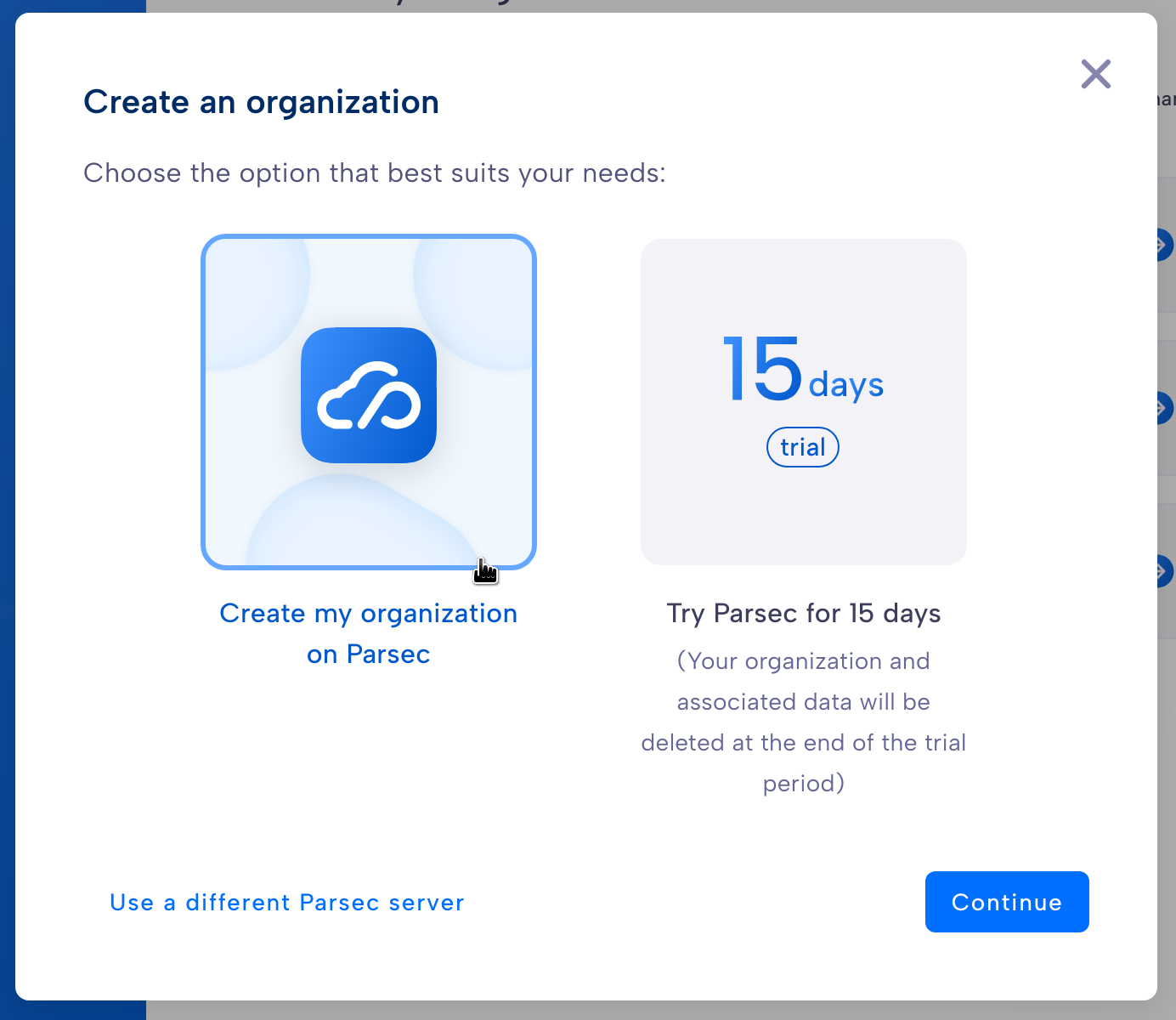
If you already have a customer account on Parsec, follow the steps below to create your organization:
Start by clicking
Create an organizationon the welcome screen.Select
Create my organization on Parsec.Log in with your customer account.
Enter the organization name (this name cannot be changed later, see About Organization Names).
Choose the preferred authentication method (this can be changed later from your profile).
Check the information entered and confirm.
🚀 Congratulations, you’ve just created your organization on Parsec!
You are ready for your first steps with Parsec!
Create an organization on Trial
Our Trial service allows you to test Parsec for a limited time. Your organization will be securely created on our servers. No customer account is required.
Warning
Your organization and associated data will be deleted at the end of the trial period.
Start by clicking
Create an organizationon the welcome screen.Select
Try Parsec for 15 days.Enter your name and email address.
You are ready for your first steps with Parsec!
Create an organization on my own Parsec server
Follow the steps below to create an organization on your own Parsec server:
Start by clicking
Create an organizationon the welcome screen.Select
Use a different Parsec server.Specify the organization name and the address of your own Parsec server.
You are ready for your first steps with Parsec!
Note
You can read more about hosting Parsec server in the Deployment Guide.
About Organization Names
The following naming rules must be respected:
Name must be unique, there cannot be two Organizations with the same name.
Name may only contain alphanumeric characters, underscores or hyphens (no spaces nor accents)
Name must begin with an alphanumeric character
Name is limited to 32 characters
Important
The name you choose for your organization is not considered confidential information since the name can be linked to external documents (such as invoices) and is visible to Parsec Server administrators.