Parsec workspaces
In Parsec, your data is securely stored within workspaces.
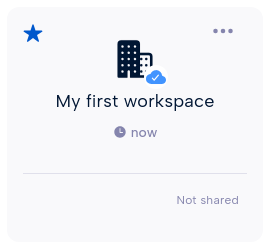
You can import your data into a Parsec workspace and manage your files and directories as you will do with a regular file explorer.
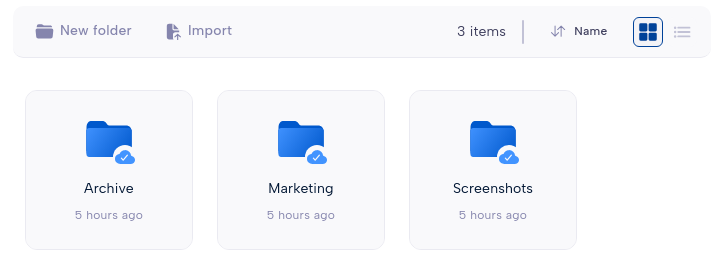
Workspaces are mounted by default in your system and will also appear in the file explorer as regular folders. This is convenient to copy files from and to Parsec.
Each workspace has its own role-based policy for read and write access. This allows a fine-grained access control as each user can have different roles in different workspaces.
Note
When you are offline, you can still access documents provided they were synchronized by Parsec while connected. Synchronization will occur automatically as soon as the connection with the server is established.
Create a workspace
You can create a workspace by clicking New workspace and entering a name for
the workspace.
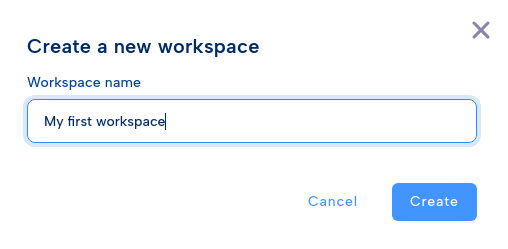
When you create a workspace, you automatically get the Owner role within the workspace.
Share a workspace
If you have the Owner or Manager role, the Sharing and roles option
will be available from the workspace menu.
Find the user you want to share the workspace with and select its workspace roles.
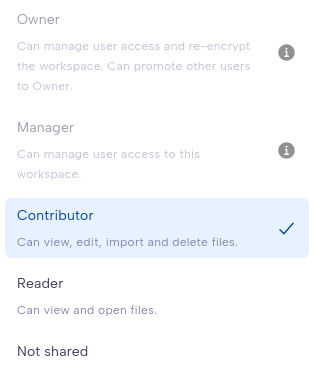
Depending on the user profile within the organization, some roles may not be available for the selected user.
You can remove access to this workspace by selecting Not shared for a given
user.
Workspace roles
The workspace role defines what the user is allowed to do within the workspace. Since the role is specific to the workspace, a user can have different roles in different workspaces.
The available roles and what they allow to do are shown in the following table.
User rights |
Reader |
Contributor |
Manager |
Owner |
|---|---|---|---|---|
Can view and open files |
✅ |
✅ |
✅ |
✅ |
Can edit, import and delete files |
❌ |
✅ |
✅ |
✅ |
Can manage user access to the workspace |
❌ |
❌ |
✅ |
✅ |
Can re-encrypt the workspace |
❌ |
❌ |
❌ |
✅ |
Can promote other users to Owner |
❌ |
❌ |
❌ |
✅ |
Users without a role in the workspace, are not allowed to access nor see the workspace.
Warning
It is recommended to always share the workspace with other users.
Strong cryptographic security prevents data recovery. If the workspace is not shared with others, and the user loses access to its device or cannot log in for any reason, data stored in the workspace will be lost forever.